Product
See external risk matched to your organization, without a dedicated security team
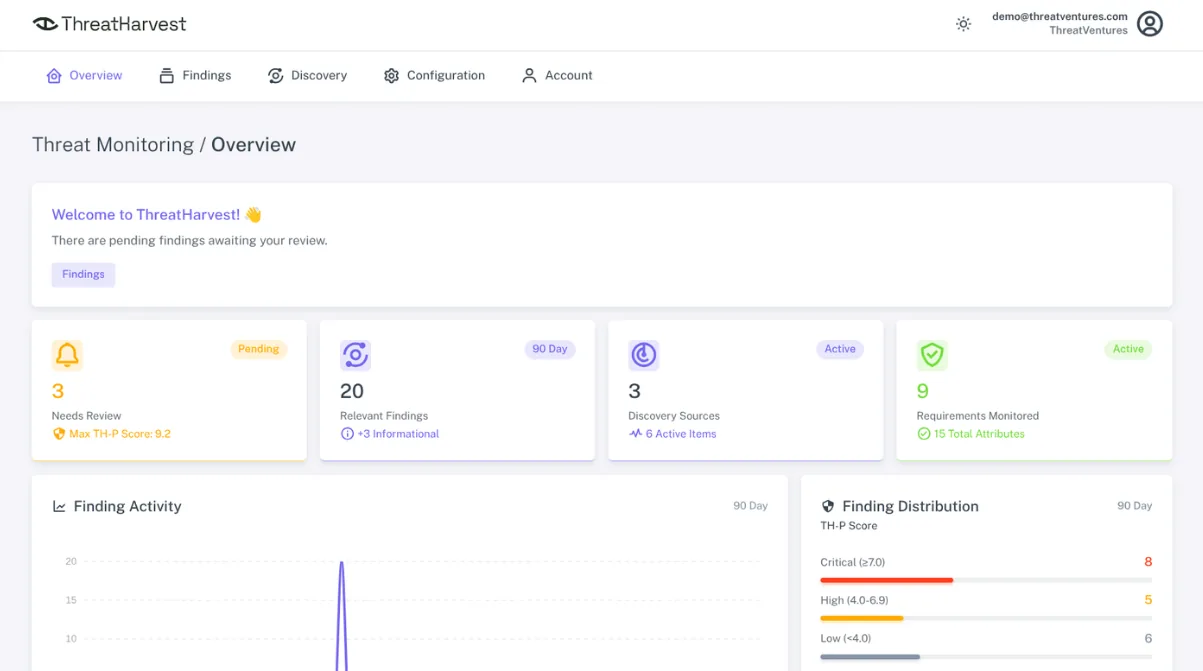
ThreatHarvest is an external threat intelligence platform that watches for signs your domains, IPs, and other identifiers have surfaced outside your organization, delivering findings a small team can review.
Prefer a walkthrough first? Watch the platform tour. Starting at $99/month. No long-term contracts.
In practice
Add your identifiers
Tailor monitoring by providing basic information about your organization.
Monitoring activates
Findings surface when ThreatHarvest matches them with your identifiers.
New findings reach you
You remain informed about findings so it's clear when review is needed.
Example findings
What a finding looks like
Findings come with AI guidance in plain language. These simulated examples show what was found, what it means, what could happen if it goes unnoticed, and what to consider next.
- Your domain
- summitridgelaw.com
- Lookalike found
- sumitridgelaw.comMissing one “m”
What this means
Someone registered a web address that’s almost identical to yours. At a glance, most people won’t notice the missing letter.
What could happen if it goes unnoticed
- Emails from the lookalike can pass as you and go to your clients or staff asking for payments, wire changes, or documents.
- The lookalike can host a fake login page that collects passwords.
- Replies meant for you can end up with whoever owns the lookalike.
What to do
- Check whether someone on your team registered it. Some businesses buy misspellings of their own name on purpose.
- If nobody did, warn staff and key clients to double-check the sender’s address and to confirm payment changes by phone.
- Ask your email or IT provider to block mail from that domain.
- If you see it being used for phishing or fake emails, report it to the domain’s registrar (the company it was bought through) and its web host.
![Original post in Russian in a messaging app: “... Утечка данных [WEBSITE REDACTED] юридической фирмы ... Размер: 15 Гб ...”, with the firm’s website redacted.](/images/examples/law-firm-example-1-source.png)
![The same post in the ThreatHarvest finding view under Messaging Platforms, Underground Channels. Clean message: “... Leaked data [WEBSITE REDACTED] law firm. They successfully defend clients against a variety of federal charges ... Size: 15 GB ...” Language: ru.](/images/examples/law-firm-example-1-processed.png)
What this means
Someone posted in an underground messaging channel claiming to have about 15 GB of a law firm’s data. The post was in Russian and named the firm by its website.
Translated: “... Leaked data [WEBSITE REDACTED] law firm. They successfully defend clients against a variety of federal charges ... Size: 15 GB ...”
What could happen if it goes unnoticed
- Client files and confidential case information may be shared or sold to others.
- Criminals may use the data to contact clients, pose as the firm, or demand payment.
- The firm may find out last, after clients, regulators, or the press already know.
What to do
- Bring in your IT or security provider to check whether the claim is real and what may have been taken.
- Contact your cyber insurance carrier and legal counsel early, since many policies have notice deadlines.
- Reset passwords and review access for the accounts and systems the data could have come from.
- Don’t engage with or pay the poster.
Coverage
Categories of external risk you can monitor
Each category is watched on your behalf and matched to the identifiers you register. In the product these are called requirements. Your plan sets how many you can enable. Packaging and limits are on Pricing.
External Exposure
Account Compromise
Looks for credential exposure, including leaked credentials.
Certificate Issuance
Watches for unexpected certificates so you can check authenticity.
External Attack Surface
Looks for points of access visible outside your network.
Active Threats
Emerging Vulnerabilities
Monitors disclosed vulnerabilities.
Breach Indicators
Looks for external evidence of an attack.
Supply Chain Incidents
Identifies third-party security risk.
Illicit Messaging Activity
Tracks threat-actor communication.
Situational Awareness
Brand Impersonation
Uncovers misuse of your brand identity.
Supply Chain Mentions
Uncovers underground activity related to your supply chain.
Domain Spoofing
Looks for fraudulent sites, including lookalike domains.
Underground Mentions
Monitors threat-actor posts.
Setup
What you register
You tell ThreatHarvest what belongs to your organization: domains, public IP addresses, brand keywords, and social handles, so monitoring can match the outside world to you. In the product those identifiers are called attributes. Your plan sets how many you can register.
Base Domain
Your organization's base domain, to catch variations and look-alikes.
e.g.
summitridgelaw.com(catchesweb.summitridgelaw.com)Exact Domain
Your organization's domain, or your registered domain name.
e.g.
summitridgelaw.comExternal IP Address
Your organization's public-facing IP addresses.
e.g.
192.0.2.10External IP Range
Your organization's public IP ranges.
e.g.
192.0.2.0/30Handle Keyword
Your organization's social media handles and brand names used across social platforms.
e.g.
examplecoKeyphrase
Your organization's name, brand terms, or vendor and product keywords.
e.g.
example-app
Scope
What ThreatHarvest isn't
Clear boundaries matter. ThreatHarvest focuses on the external threat landscape: places outside your network where leaked data and early warning signs surface. It complements the tools you already run.
Not inside your network
It watches leaked data and warning signs that surface outside your network. It does not monitor systems inside it.
Not a vulnerability scanner
It watches the external threat landscape for early warning signs. It does not scan your systems for weaknesses or remediate them.
Findings, not guarantees
It provides awareness matched to your identifiers, not exhaustive or instant detection. Steady monitoring can catch what one-time checks miss.
Common questions
What do I register?
Domains, public IP addresses, brand keywords, and social handles that belong to your organization. In the product those identifiers are called attributes. Your plan sets how many you can register, and which requirements and sources they're monitored against.
How long does setup take?
Add the domains, public IPs, keywords, and handles that belong to your organization. Guided setup. Finish in about 15 minutes.
Is ThreatHarvest a vulnerability scanner?
No. It watches the external threat landscape for early warning signs. It does not scan your systems for weaknesses or remediate them.
Does it guarantee coverage or instant detection?
No. ThreatHarvest provides awareness matched to your identifiers. It does not claim exhaustive coverage or instant detection. Exposure changes over time, so steady monitoring can catch what a one-time check would miss.
How does the free trial work?
New customers get a 14-day free trial on the Starter plan. There is nothing to request: new accounts get the trial automatically when they sign up for the Starter plan. If you don't cancel before the trial ends, your plan begins immediately afterward.
Why is a credit card required for the trial?
It's one of the ways we keep the platform secure. A credit card is required for security, but there is no subscription charge at sign-up. Because ThreatHarvest is a security product, requiring a card and limiting each company to one trial helps prevent abuse.
Who is eligible for the trial?
New customers only, limit one per company. Eligibility is confirmed at sign-up. If no trial is shown when you sign up, the account isn't eligible.
Tour
Watch the platform tour
Take a self-serve look around the platform before you start a trial or talk to sales.
Get started
Start watching your external exposure
Start a free trial or talk with sales. No dedicated security team required. Starting at $99/month. Cancel anytime.