ThreatHarvest API
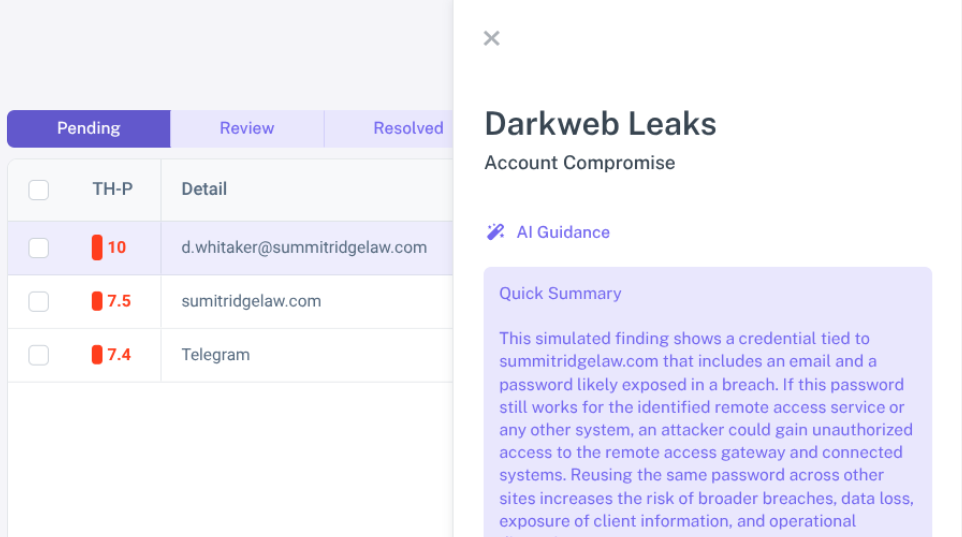
The Harvest API provides programmatic access to your findings, requirements, and attributes data.
Base URL
https://api.threatharvest.com/v1
Versioning
The API is versioned via the URL path (/v1/). When breaking changes are introduced, a new version will be released (e.g., /v2/). We will provide advance notice before deprecating any API version.
Authentication
All API requests (except /v1/health) require authentication using a Bearer token in the Authorization header. API keys are managed through your ThreatHarvest account.
Format:
Authorization: Bearer YOUR_API_KEY
Example:
curl -H "Authorization: Bearer hvst_live_abc123xyz789" https://api.threatharvest.com/v1/findings
Rate Limiting
The API implements rate limiting to ensure fair usage and system stability. These limits are subject to change.
- Limit: 100 requests per hour
- Method: Sliding window
- Scope: All endpoints count toward the same rate limit
Response Headers
Every API response includes rate limit information in the headers:
X-RateLimit-Limit: Maximum requests allowed per hourX-RateLimit-Remaining: Requests remaining in current windowX-RateLimit-Reset: ISO 8601 timestamp when the rate limit resets
Rate Limit Exceeded: When you exceed the rate limit, you'll receive a 429 Too Many Requests response. The response will include a Retry-After header indicating how long to wait (in seconds).
Endpoints
GET /health
Check the API status (no authentication required).
Response
{
"status": "ok",
"version": "v1"
}
GET /v1/findings
Get a list of all findings for your organization.
Query Parameters
| Parameter Description |
limit | (Optional) Max results. Default: 50, Max: 100 |
offset | (Optional) Pagination offset. Default: 0 |
status | (Optional) Filter by status. Values: pending, review, resolved |
requirement_id | (Optional) Filter by requirement ID |
relevant | (Optional) Filter by relevance. Values: true, false |
Response Example
{
"data": [
{
"id": "finding-uuid",
"requirement": { "id": "req-uuid", "name": "Data Breach Monitoring" },
"source": { "description": "Example Breaches" },
"summary": "Email found in breach",
"added": "2024-01-15",
"status": "pending",
"relevant": true,
"thp_score": 7.5
}
],
"meta": {
"total": 150,
"limit": 50,
"offset": 0,
"returned": 50
}
}
GET /v1/findings/{finding_id}
Get detailed information about a specific finding.
Path Parameters
finding_id: The unique identifier of the finding
Field Notes
thp_score: Only present (non-null) for relevant findingsdiscovery.status and last_change: Null if discovery is not applicable
Response Example
{
"data": {
"id": "finding-uuid",
"requirement": { "id": "req-uuid", "name": "Data Breach Monitoring", "short_name": "Breach" },
"source": { "description": "Example Breaches", "notice": "Sample Data Source" },
"added": "2024-01-15 10:30:45",
"content": [
{"name": "Breach Name", "value": "Example Breach"},
{"name": "Breach Date", "value": "2023-12-01"},
{"name": "Data Classes", "value": "Emails, Passwords"}
],
"discovery": {
"enabled": true,
"status": "Current (Active)",
"last_change": "2024-01-15 10:30:45"
},
"status": "pending",
"thp_score": 7.5
}
}
GET /v1/requirements
Get a list of all available requirements.
Response Example
{
"data": [
{
"id": "req-uuid",
"name": "Data Breach Monitoring"
}
],
"meta": { "total": 10 }
}
GET /v1/attributes
Get a list of all active attributes for your organization.
Response Example
{
"data": [
{
"id": "attr-uuid",
"requirement_id": "req-uuid",
"attribute_type": "Email Address",
"created": "2024-01-01 10:30:45"
}
],
"meta": { "total": 25 }
}
Error Responses
The API uses standard HTTP status codes to indicate success or failure.
Status Codes
| 200 | OK - Request successful |
| 400 | Bad Request - Invalid input parameters |
| 401 | Unauthorized - Missing or invalid API key |
| 404 | Not Found - Resource not found or access denied |
| 429 | Too Many Requests - Rate limit exceeded |
| 500 | Internal Server Error |
Format
{
"error": "Error message description",
"message": "Optional detailed message"
}
Pagination
For endpoints that return lists (e.g., /v1/findings), use the limit and offset parameters.
Example Request:
curl -H "Authorization: Bearer KEY" "https://api.threatharvest.com/v1/findings?limit=100&offset=100"
Response Metadata:
{
"meta": {
"total": 250,
"limit": 100,
"offset": 100,
"returned": 100
}
}
Best Practices
- Secure Your API Key: Never expose your API key in client-side code or public repositories
- Use HTTPS: Always use HTTPS for API requests
- Monitor Limits: Monitor the
X-RateLimit-Remaining header to track your usage - Handle Errors: Implement proper error handling and exponential backoff for 429 responses
- Use Pagination: For large datasets, use pagination to avoid timeouts
Code Examples
Python
import requests
API_KEY = "your-api-key-here"
BASE_URL = "https://api.threatharvest.com/v1"
headers = { "Authorization": f"Bearer {API_KEY}" }
# Get all pending findings
response = requests.get(
f"{BASE_URL}/findings",
headers=headers,
params={"status": "pending", "limit": 100}
)
if response.status_code == 200:
data = response.json()
print(f"Found {len(data['data'])} pending findings")
else:
print(f"Error: {response.json()['error']}")
cURL
#!/bin/bash
API_KEY="your-api-key-here"
BASE_URL="https://api.threatharvest.com/v1"
curl -H "Authorization: Bearer $API_KEY" \
"$BASE_URL/findings?status=pending&limit=100"